If you track investments across accounts, you may know the problem: a dividend lands in one account, a transaction appears in another, and your spreadsheet is still waiting for an update. You can see cash arriving without having a clear picture of what changed across the portfolio.
The useful question is whether you can reconcile the cash, transactions and account values well enough to understand what happened. A larger distribution number alone does not answer that question.
Paycheck to Portfolio brings investing education, portfolio tools and a member community into one recurring subscription. It may suit readers who want a more organized learning and tracking routine. Before joining, check whether you will use the education, whether your broker connects and whether another monthly subscription fits your budget.
This review covers the offer and its limitations. It does not present personal investment results or promise that membership will improve your returns.
Affiliate disclosure: StockMags may earn a commission if you purchase through the referral link below. This is a Gumroad affiliate referral, not a direct partnership with Shawn Grady. You can read how referrals work in Gumroad’s affiliate FAQ.
What the membership includes
Shawn Grady’s official Paycheck to Portfolio listing describes a package that includes:
- The Blueprint PDF, an Excel tracker and a FIRE calculator.
- Academy educational material.
- A Discord community and Q&A access.
- The Virtual Cockpit portfolio app.
The verified base offer is $29 per month. This review focuses on that base membership. Check the selected tier, billing interval, renewal amount, cancellation terms and any applicable taxes at checkout. Treat the subscription as an ongoing expense rather than a one-time software purchase.
At $29 a month, keeping the membership for 12 months would cost $348 before any taxes, assuming the monthly price stays the same. That is simple monthly-cost arithmetic, not a quoted annual plan or a promise about future pricing.
The practical question is how much of the package you will actually use. If you already have a tracking spreadsheet and rarely participate in member communities, much of the value may overlap with tools you own.
What Virtual Cockpit does
Virtual Cockpit is presented as a way to track positions, dividends, cash flow, transactions and portfolio performance. That can help you review information in one place, but tracking is different from managing an investment account.
We have not verified automated trade execution. Do not buy on the assumption that the app will place trades, rebalance your account or run an income strategy for you. Continue checking your broker’s statements and transaction records. A dashboard does not replace those records or individualized professional advice.
Broker compatibility deserves attention before payment. As of October 24, 2026, M1 and Coinbase are not supported, and no support date has been confirmed. If either is essential to your workflow, do not join expecting a future integration.
For other brokers, ask the provider about your exact institution and account type. A historical compatibility announcement is not enough to establish that your connection will work today. Also confirm which information syncs and which entries require manual updates.
What a better tracking routine could look like
Start with a review you can repeat: reconcile account balances, check transactions and separate new contributions from investment results. Then examine the source of distributions and note anything you cannot explain. The app, lessons and Q&A may support parts of that routine, depending on your connection and how you use the material.
The problem worth fixing is unreconciled information. Missing a transaction or treating every distribution as profit can leave your own records misleading. Buying a membership does not automatically correct that. You still need to review the inputs, understand the figures and resolve discrepancies.
Who may find it useful
The membership may fit someone who wants guided educational material, a place to ask questions and portfolio tracking together. It is worth considering only if those features solve a specific problem in your current routine.
A useful starting question is: “What would I do with this every week?” Reading lessons, reviewing transactions or preparing questions for Q&A are concrete uses. Hoping that another subscription will produce investment income is not a purchase plan.
It is a weaker fit if you need supported M1 or Coinbase connectivity, hands-off trading, personalized portfolio management or guaranteed income. It may also be unnecessary if your existing tools already cover your needs.
You can start without another subscription
Keep your broker statements and use a basic spreadsheet to record contributions, withdrawals, distributions and account values. Set aside time to reconcile it against the official records. If that gives you the clarity you need, there may be no reason to add a paid tool.
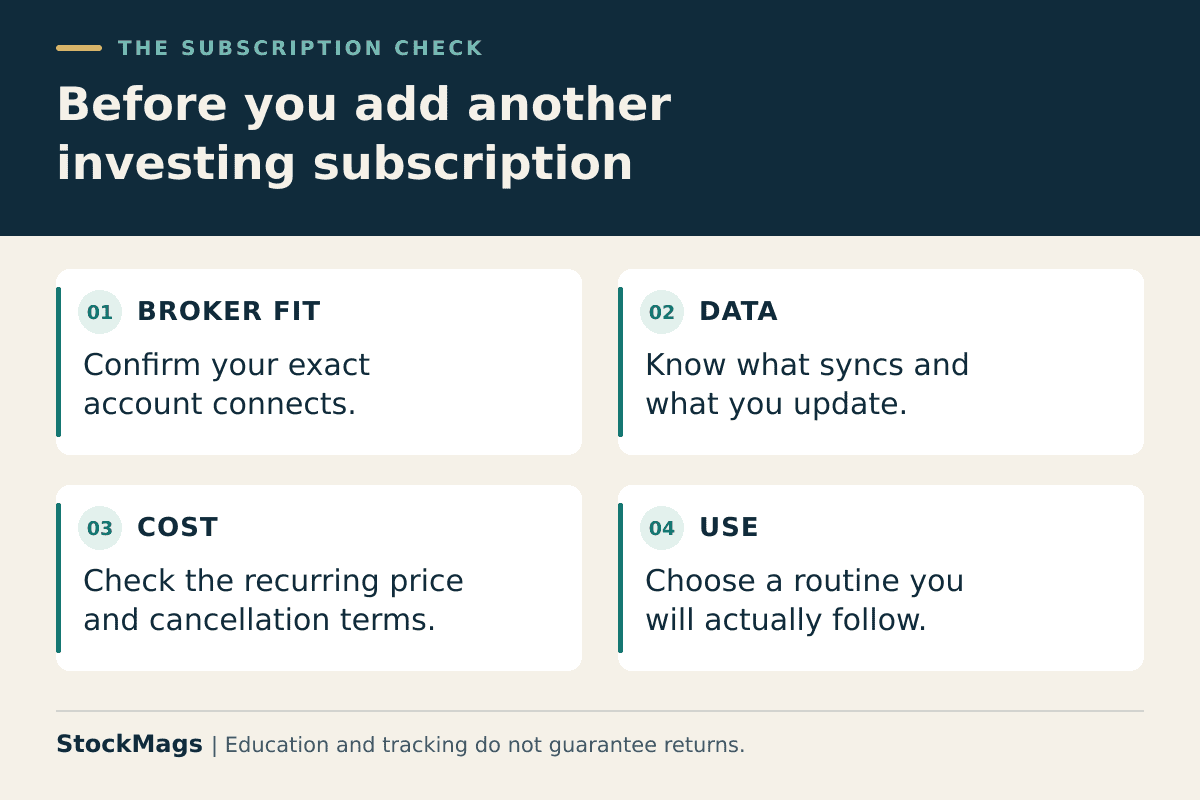
Before buying, use this checklist:
- Can I name the tracking or learning problem I want to solve?
- Have I confirmed support for my exact broker and account type?
- Do I understand what syncs and what I must update myself?
- Will I use the lessons or community, beyond looking at the dashboard?
- Does the recurring cost fit without relying on hoped-for investment gains?
Unanswered questions are a reason to investigate, not a reason to rush checkout.
Costs and risks beyond the subscription
The membership fee is separate from investment expenses, taxes and any borrowing costs. If you separately use a brokerage margin loan, interest charges and forced-sale risk apply. Falling collateral values can lead to demands for additional funds or sales without advance notice; membership and software do not remove these risks. See the SEC’s explanation of margin accounts.
Cash distributions also need context. A payment from a fund does not, by itself, establish profit: distributions can include returned capital, while the investment’s value can fall. Review total return and the source of payments, not just a cash-flow number. The SEC’s fund-distributions bulletin explains the distinction.
This review is educational, not a recommendation to buy a security, borrow money or follow a particular investment strategy.
Frequently asked questions
Is this a one-time purchase?
No. The verified base offer is a recurring $29 monthly membership. Confirm the current checkout terms before paying.
Can I cancel?
Review the current cancellation process, timing and effect on access before subscribing. Do not assume cancellation includes a refund.
Does it guarantee income or investment results?
No guaranteed outcome is established by this review. Education and tracking tools cannot eliminate investment risk.
What should I check first?
Confirm your broker connection, the tier you need and the recurring cost. If those fit, compare the included tools with what you already use.
Review Paycheck to Portfolio membership details on Gumroad (affiliate link)
